Introducing Direct ESX Downloads, Batch Processing, and Flat Rate Pricing
Today we're rolling out the largest set of improvements CapOut has ever shipped at once. The short version: you now get your ESX file directly, Pro members can process multiple scopes at a time, you can watch your PDF being read in real time, and every export is now one flat price that can save you hundreds of dollars on large scopes.
But this isn't just a feature announcement. Part of this release exists because we let some of you down, so it starts with an apology, and it ends with the account-credit promotion we announced in August 2026.
First, an apology
For a period, CapOut's output quality was not what you deserved. Some of you found real errors in your exports: line items that didn't match, values that were off, items that went missing. Some of you told us that hunting down and correcting those errors took more work than just building the estimate yourself. Some of you cancelled over it.
We want to be direct about how we see that: it's unacceptable. The entire reason CapOut exists is to give you hours back. The moment it costs you hours instead, it has failed at its one job, and no amount of features around the edges makes up for that. If that was your experience, we're sorry, and you were right to expect better.
We also want to be clear that we didn't respond by patching symptoms. We went back and rebuilt how scopes are processed end to end, built the largest eval dataset we've ever had to prove it works, and added tooling so you can verify the output yourself instead of taking our word for it. The rest of this post is that work.
Here's the full rundown.
Your ESX, delivered directly to you
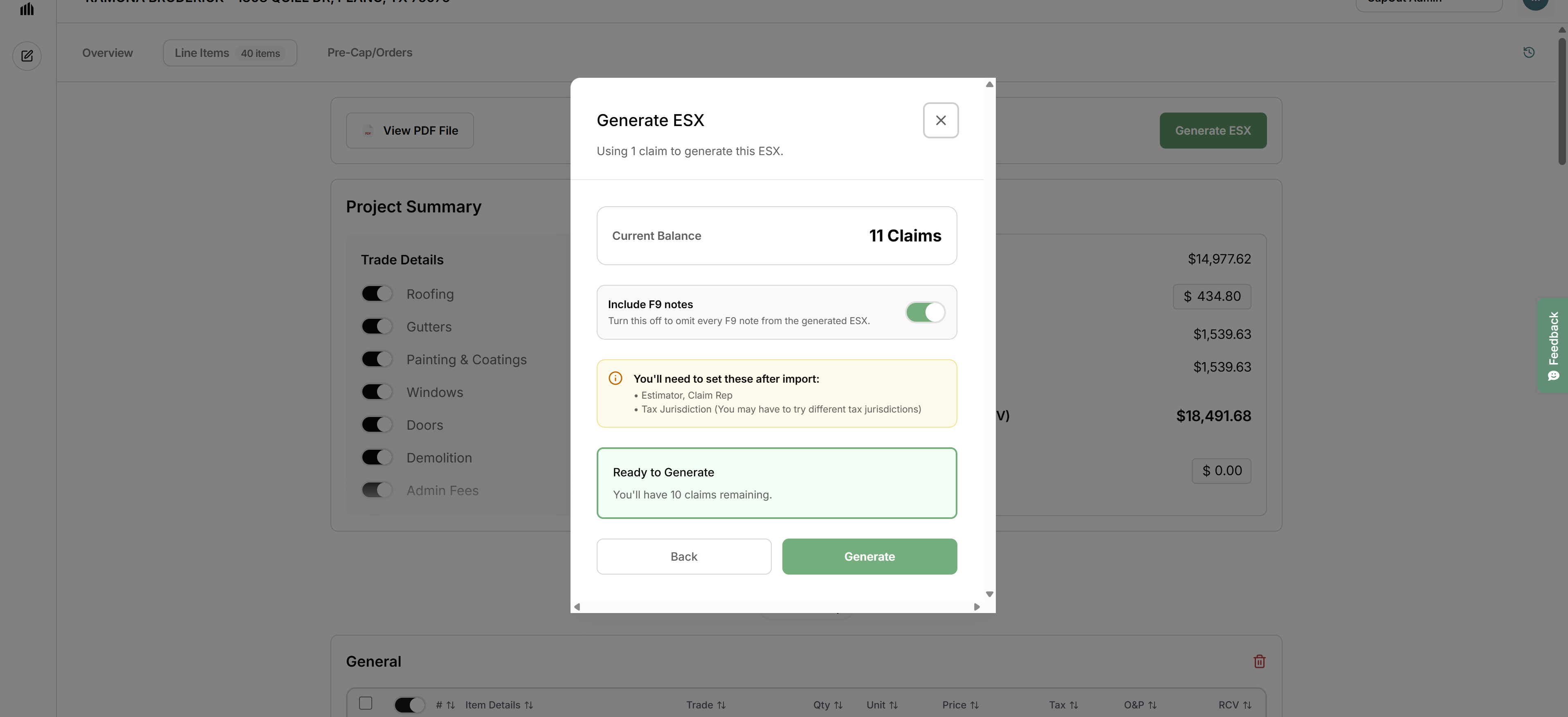
Until now, getting a scope into Xactimate meant routing your file through the Xactimate API to your XactNet address, and that pathway limited how precisely we could carry over custom line items, modified pricing, and sketch details. That's behind us. We now generate the ESX file directly, which gives us full control over every line item, price, folder, and F9 note in your scope. The result imports cleanly and matches to the penny. Even paid-when-incurred line items transfer correctly.
From now on, when your scope finishes processing, CapOut gives you the ESX file itself. You download it, open Xactimate, and import it. That's it. The import takes only a couple of clicks, and producing the ESX still takes just seconds once processing completes.
Why we made this change: we hold ourselves to a high bar for what lands in your estimate, and delivering the ESX directly lets us guarantee that what we produce is exactly what you import. No handoffs, no dependencies on anyone else's systems, and nothing standing between you and your file. And going forward, every ESX you generate is saved to your account, so re downloading a past export is always one click away.
No more duplicate XactAnalysis assignments
There's one more benefit here that program contractors, staff adjusters, and TPA adjusters will appreciate immediately. Under the old workflow, files sent through the integration arrived via XactAnalysis as an assignment. If you were already assigned the claim, which is exactly the situation for anyone doing program work, that created a duplicate assignment sitting alongside the real one.
With direct ESX delivery, that conflict disappears entirely. You import the ESX straight into the claim file you're already working, and nothing new ever shows up in XactAnalysis. Your assignment queue stays clean, and your estimate data lands exactly where it belongs.
New flat rate pricing: one price per export, period
This is the change we're most excited about, because it fundamentally changes the economics of processing large scopes.
The old model: a base fee plus a per line item charge. On a typical scope that was manageable, but on a large loss with thousands of line items, an export could run $200 to $300.
The new model: one flat price per export, regardless of scope size. It's live right now.
| Plan | What you pay | What's included | Effective cost per export |
|---|---|---|---|
| Pay as you go | $35 per export | One export | $35 |
| Pro | $349/month | 15 exports per month | About $23 |
That multi thousand line item scope that used to cost $200 to $300? It's now $35, or roughly $23 on Pro. The bigger the loss, the bigger the savings, and you never have to think about line item counts again when deciding whether to run a file through CapOut.
If you're an existing customer: nothing breaks and nothing is required of you. Pay as you go stays at $35 per export. If you're on our $250/month Pro plan, you stay on it and now receive 10 exports included each month, which works out to about $25 per export. If per export cost is what matters most to you, the $349 plan gets you 15 exports a month at roughly $23 each, and you can switch anytime.
Batch uploads: process a whole stack at once (Pro)
If you're working a storm event or managing a heavy claim load, you're rarely dealing with one scope at a time. Pro plan members can now upload multiple scope PDFs in a single batch and let CapOut process them together. Queue up the stack, come back to a folder of finished exports.
Watch your scope process in real time
We've added a live processing view to every job. As CapOut reads your PDF, you'll see the bounding boxes track through the document page by page, so you can watch exactly what's being detected and where the job stands. No more staring at a spinner and wondering.
How we test accuracy
Accuracy is the whole product. If a line item is wrong, missing, or mismatched, you pay for it later in the claim. So we built an eval dataset of nearly 3,000 real insurance scopes spanning a wide range of lengths, formats, and complexities, from small residential losses to multi thousand line item commercial files.
Our current system achieves 99.99% accuracy across that entire dataset. Every line item, every quantity, every value, matched. We run every change we make against this dataset before it ships, and we're continuing to grow the dataset over time so the bar keeps rising.
We show you what might be missing
Even with that accuracy record, we don't think "trust us" is a good answer. One of the most painful parts of the old experience was the search: combing through hundreds of line items trying to figure out what got left out or where something went wrong.
So we built that check into the product. CapOut now flags line items that may be missing, right in the UI, so you can see at a glance exactly where to look instead of auditing the entire scope by hand. The verification step that used to take the longest is now the fastest part of the workflow.
Speed is back, and this time without the tradeoff
We owe you some transparency here. A while back, most scopes processed in about 90 seconds to 2 minutes. Then we shipped a round of updates aimed at pushing accuracy higher on complex scopes. The accuracy gains were real, but they came with a heavy context rendering step, and processing times ballooned. Scopes that used to finish in a minute and a half were suddenly taking 10 to 20 minutes. We traded your time for accuracy, and we heard about it.
This release ends that tradeoff. We re engineered the processing pipeline so the accuracy improvements stay and the speed comes back. The majority of scopes now finish in about 90 seconds to 2 minutes again. Genuinely massive scopes, the kind with thousands of line items, top out around 5 or 6 minutes, and with the new live processing view you'll see progress the entire time. Once processing is done, generating your ESX still takes only seconds.
The new workflow, step by step
- Upload your scope PDF (or a batch of them)
- Watch it process in real time
- Download your ESX
- Import into Xactimate in a couple of clicks
No XactNet address. No sending files to a third party. No per line item math on your invoice.
August 2026 account-credit promotion
This August 2026 announcement describes an account-credit promotion. Check your CapOut account for your current credits and export pricing.
At launch in August 2026, we added one claim credit to every account. It was already there. No card, no signup step, no fine print.
We invited you to use it on your most difficult scope. The storm loss with thousands of line items. The carrier PDF with the formatting nobody enjoys. The file you'd normally brace yourself for. That's exactly the kind of scope this rebuild was for, and it was the fairest possible test of whether we'd earned your trust back.
And if you had left, whether you cancelled, went back to manual entry, or tried something else, this credit was especially for you. We wanted the chance to win the work back. Log in, run your hardest file, and judge us on the output.
Questions about the new pricing or workflow? Reach out at support@capout.ai. We'd love to hear what you think.
About the author
Matt FrugeFounder & CEO, CapOut
Matt Fruge is the Founder and CEO of CapOut. Before CapOut he spent 15+ years running Roofmark Construction in Dallas-Fort Worth and lived the exact pain his product solves: re-keying Xactimate estimates while jobs sat waiting. U.S. Navy veteran. Based in Fort Worth, Texas.
More from MattContinue reading
Get insurance restoration insights
Practical tips on Xactimate, supplements, and estimating workflows. No spam.
Related glossary terms
Put your PDF to work.
Review your scope, choose the line items you need, and prepare your ESX.
Get started free
 No credit card required